01
Catch
Paste a link, drop files, follow creators and hashtags, or share from your phone to Telegram. It all lands on your Mac with the creator’s credit attached.
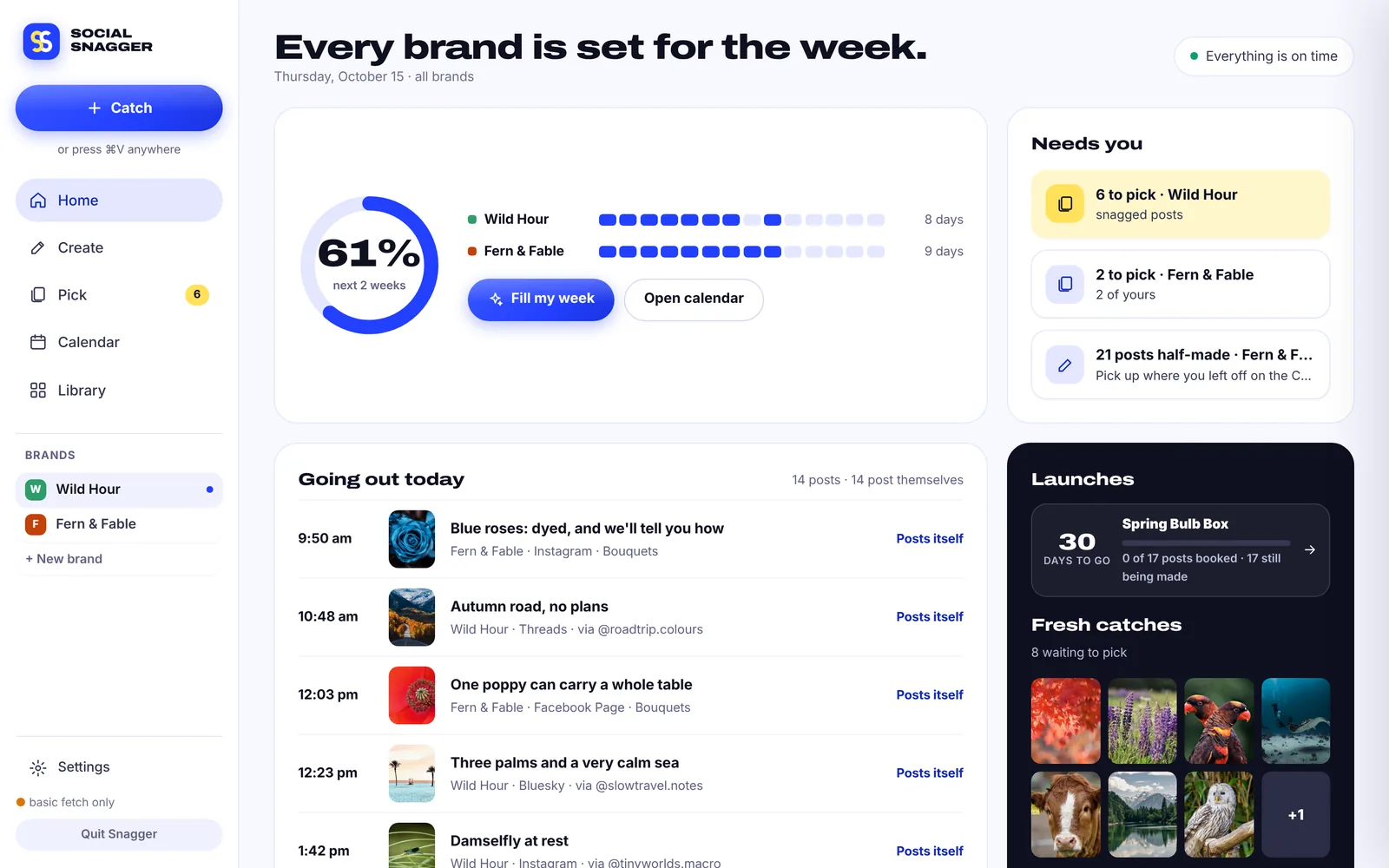
Social Snagger snags the best posts from the creators you love, credit attached. It writes your own carousels in your brand, plans whole launches, and keeps every channel’s calendar full. All from your Mac.
 dailyplantcare
This propagation trick doubled my monstera in a month 🌱 #plantsofinstagram #houseplants
One flow, start to finish
Paste a link, drop files, follow creators and hashtags, or share from your phone to Telegram. It all lands on your Mac with the creator’s credit attached.
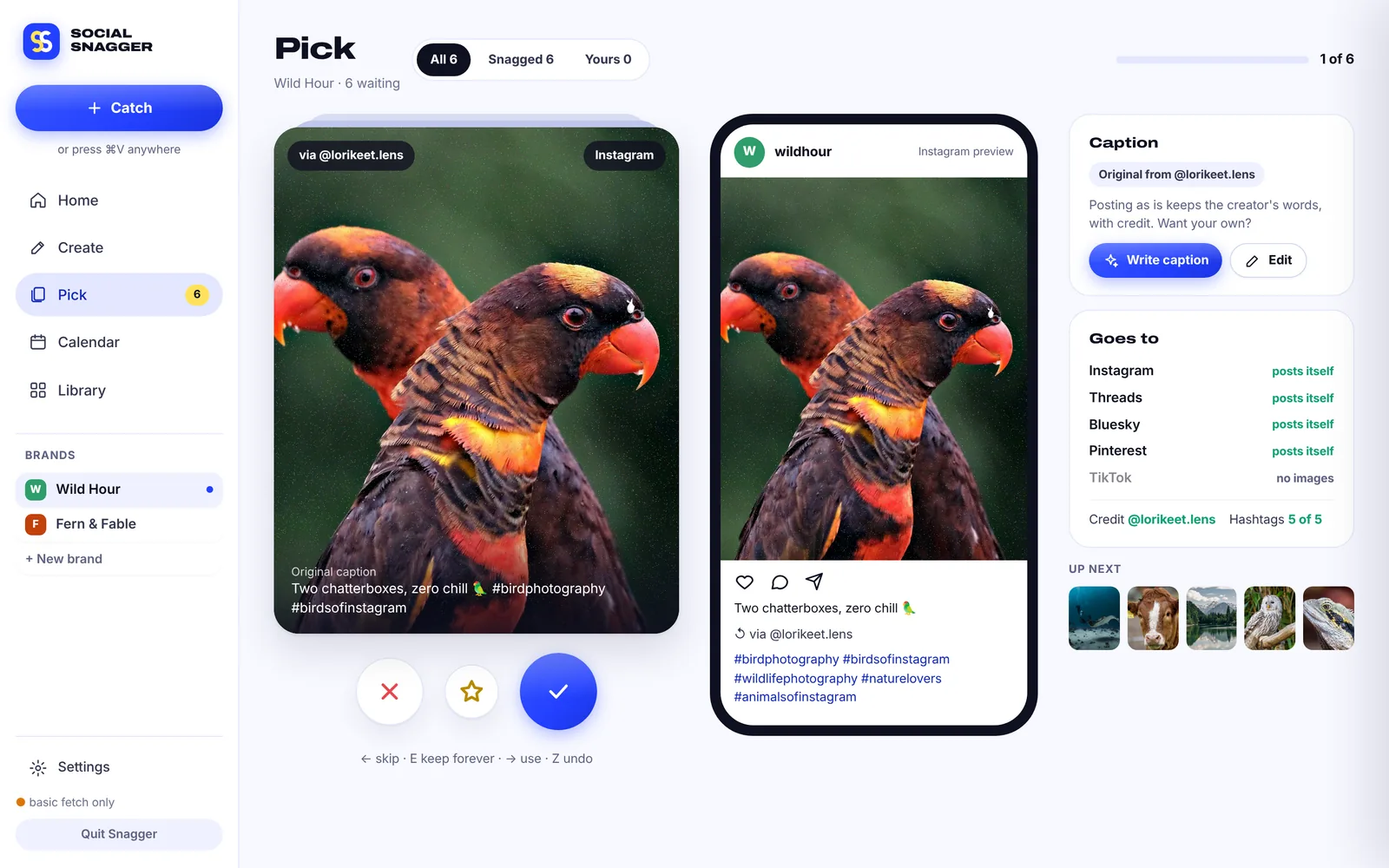
One swipe deck for everything new. Right to use, left to skip, with a live preview of the real post.
Make your own carousels and posts in your brand. One press writes every slide, the caption and the hashtags.
Fill my week books every brand across every channel, spaced out, mixed, and never repeating a creator back to back.
Instagram, Threads, Facebook, Pinterest, Tumblr and Bluesky post themselves. TikTok and YouTube land on your phone, ready to tap.
New in 3.1 · Create
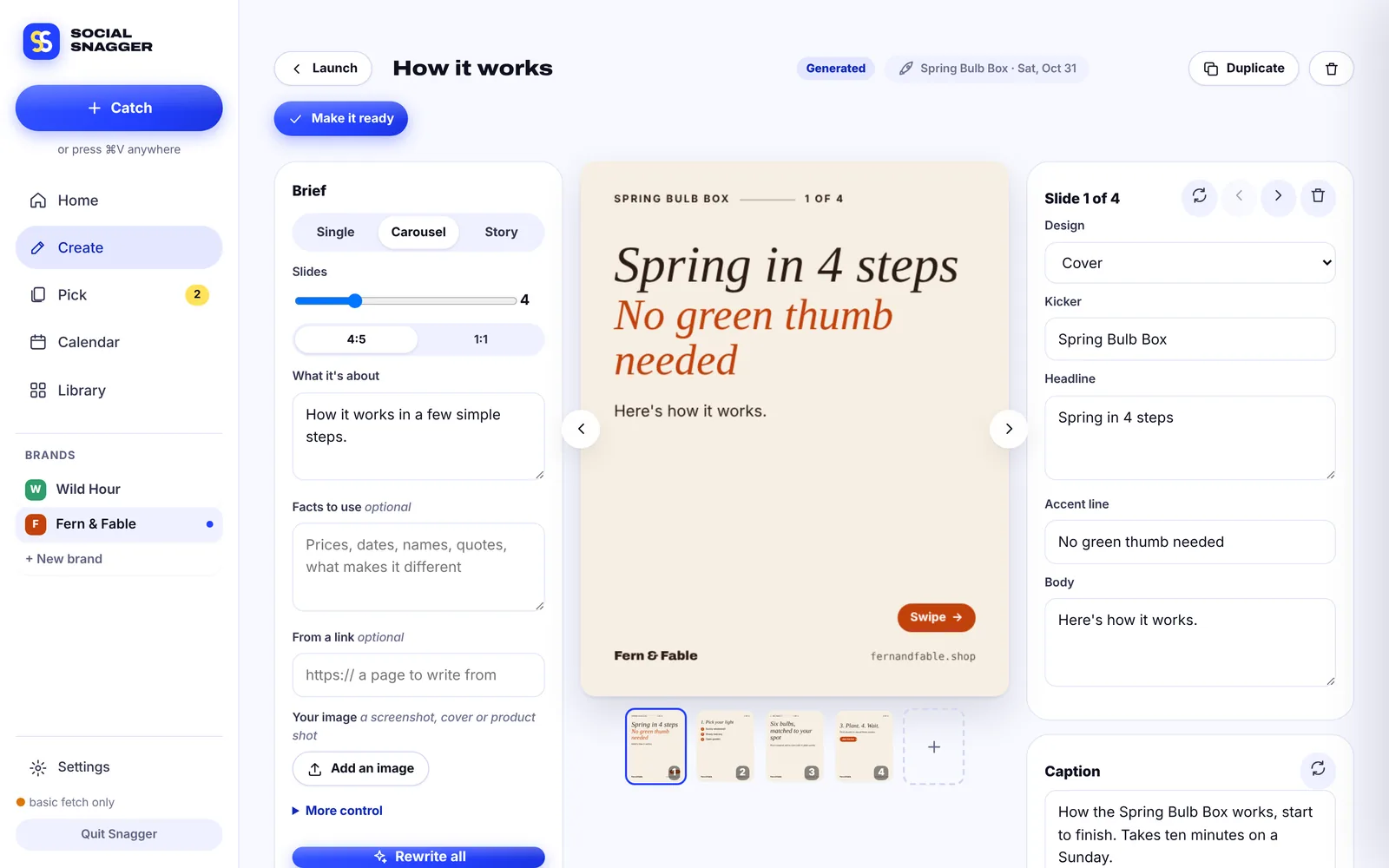
Type a topic, or paste a link to write from. Snagger writes every slide, the caption and the hashtags, then draws the slides in your brand kit so the text is always crisp.
New in 3.1 · Plan my launch
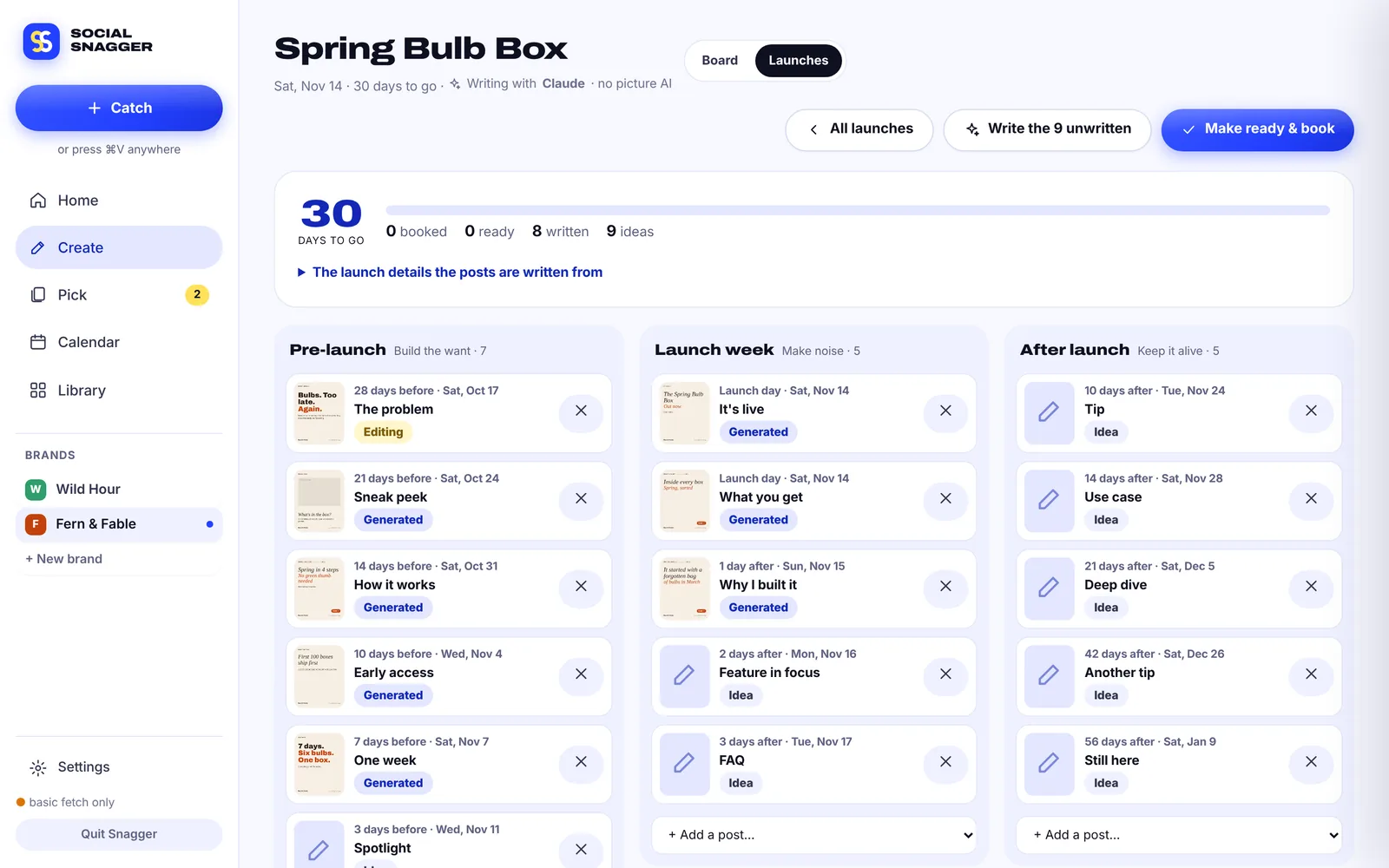
Tell it what’s launching and when. You get 10, 20 or 25 posts across pre-launch, launch week and after, written right away and ready to book in one step.
Snag & pick
Videos and photos come in with the creator’s @handle and original caption saved. Swipe through, see exactly how it will look, and decide where it goes.
New in 3.1 · Series & carousels
Files named 1 of 3, part 2 or B1, B2, B3 become a series on their own. Each part waits for the one before it, and Telegram tells you if anything is held.
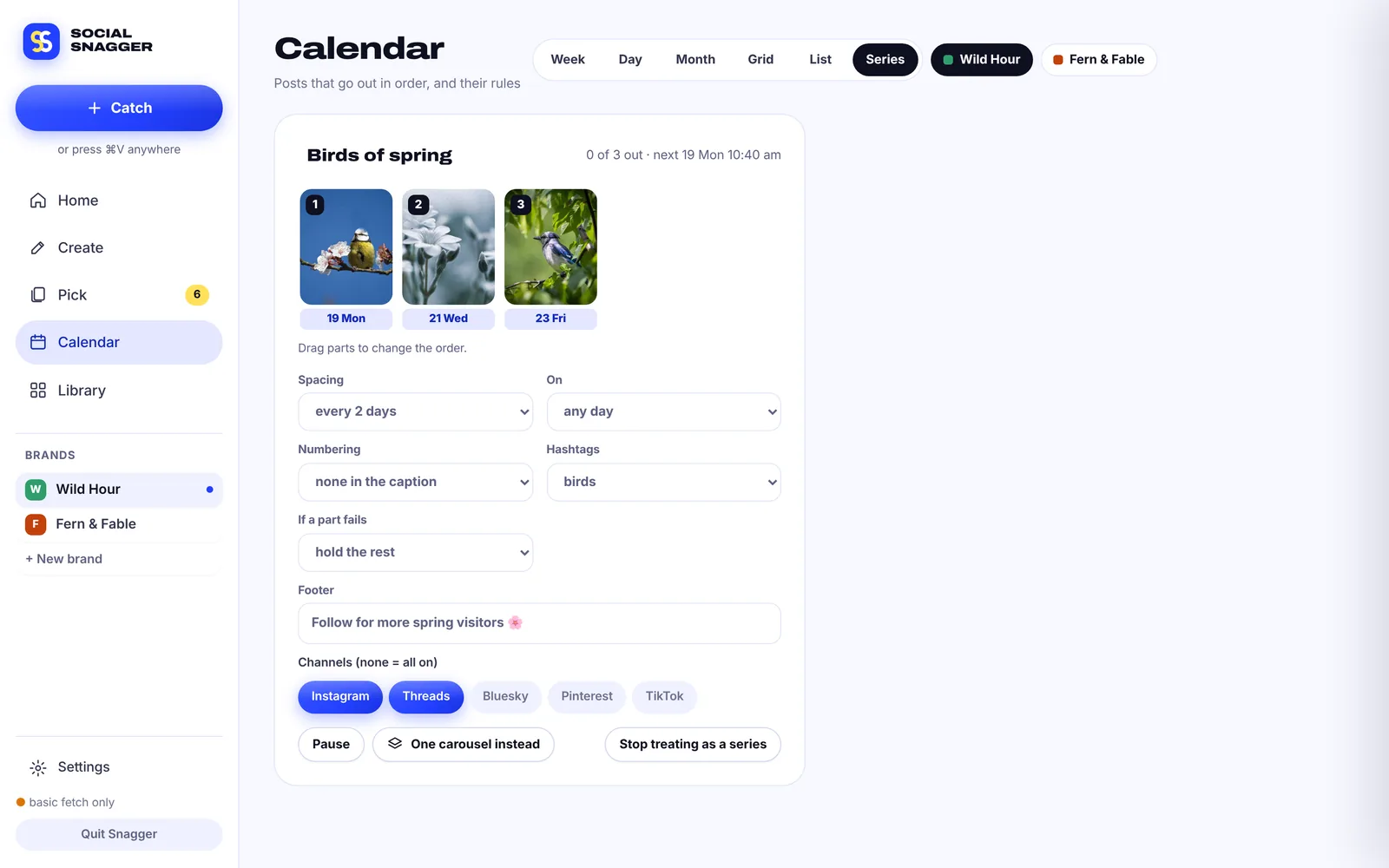
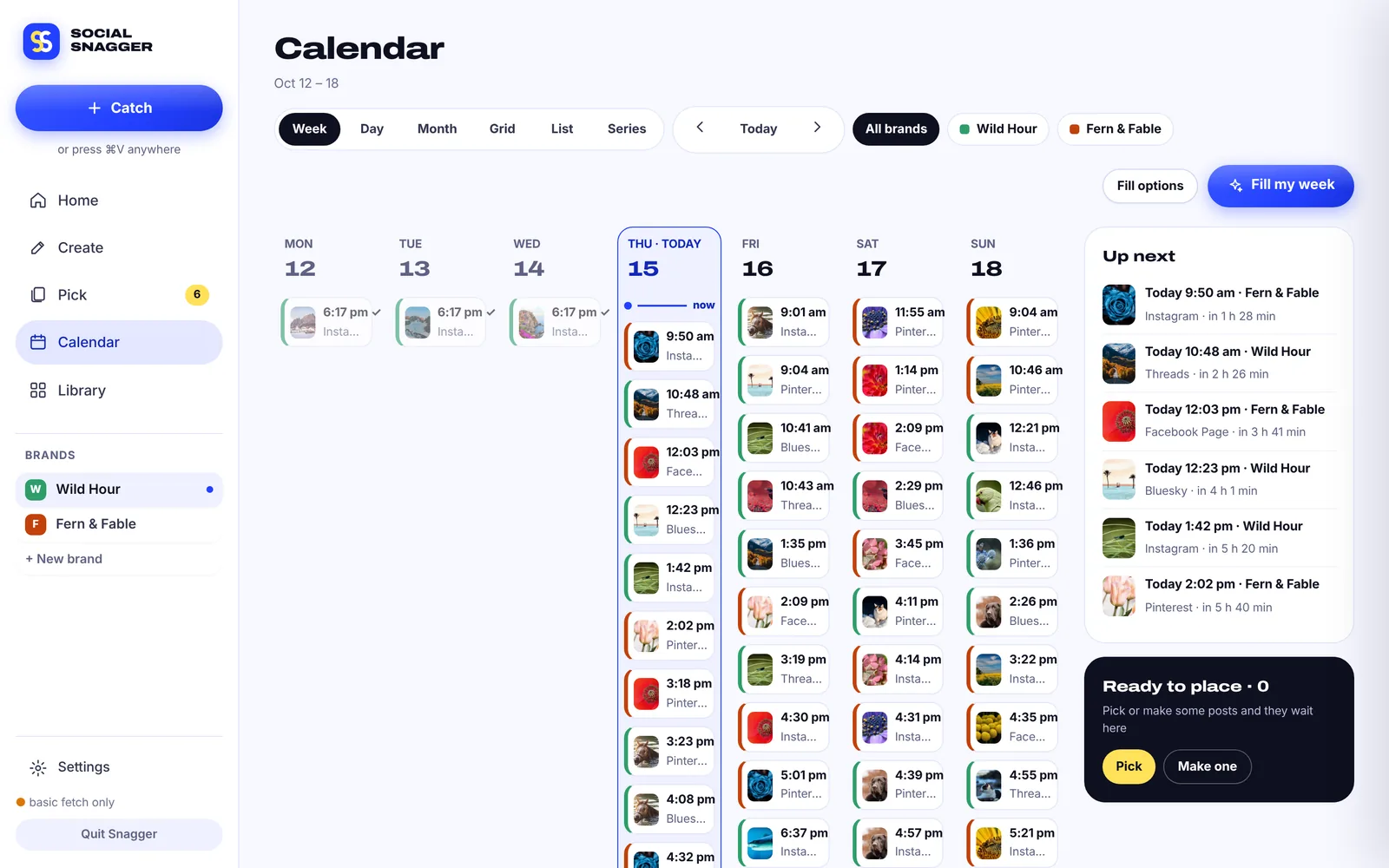
Six calendar views
Press 1 to 6 in the app to flip between views. On the calendar means scheduled: no drafts to forget and nothing to lock.
Every brand’s week side by side, with Up next and a shelf of posts ready to place.
And everything around it
Claude, OpenAI, Gemini or OpenRouter with your own key, or Ollama and LM Studio running free on your Mac.
Colours, fonts, logo and link, so every slide looks like you made it by hand.
Separate logins, voices, folders and calendars. Home shows which brand runs dry next.
Named sets you can reuse, and one tap to have your AI suggest a new set.
Hand-offs with the file and caption ready, plus alerts and a morning brief.
Follow creators and hashtags on Instagram, TikTok, Pinterest, YouTube and more.
Gentle download limits and automatic cool-downs keep your accounts safe.
Runs on your Mac. Your library, logins and keys never touch our servers.


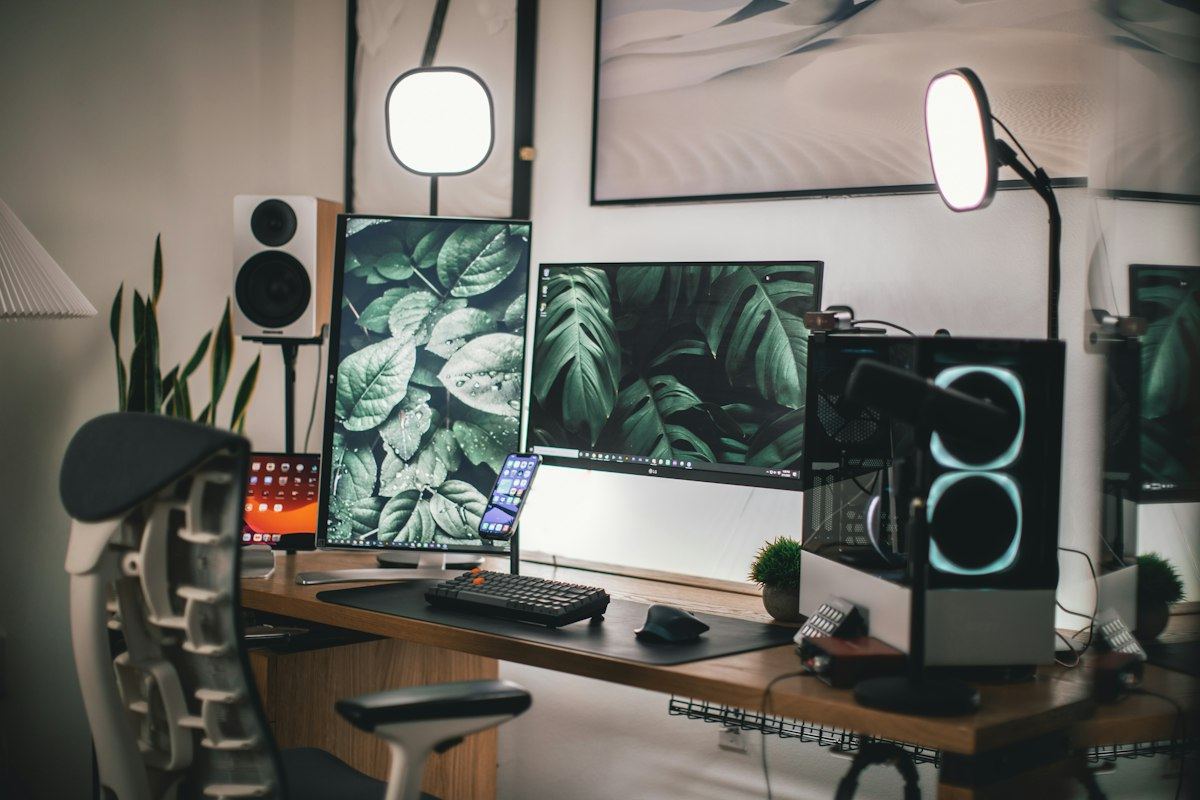
If people post about it, Social Snagger can curate it, and help you make your own.
Every repost carries the creator's @handle. Credit isn't permission, so ask first, and Social Snagger keeps track of who said yes.
Free to download, pay what you want. Version 3.1 is out now.
Launching soon on Product Hunt. Leave your email for launch news.
One email when we launch. No spam.